Getting customers to find your WordPress site is hard, on Google and in AI answers
Growth Radar is a WordPress plugin for SEO and AI visibility. It reads your pages, and where a title or description is letting you down it writes a better one and waits for you to approve it. What you approve goes into Yoast SEO or Rank Math if you use one of them, and you can take it back later.
It installs by upload and needs a Growth Radar account.
Try approving a change
Press Approve below and watch the words land in the SEO plugin's box and in the search result. You can also switch plugins, edit the text yourself, or press Undo. The bakery and its page are made up, and Yoast SEO and Rank Math are separate products from other companies, which you'd install yourself.
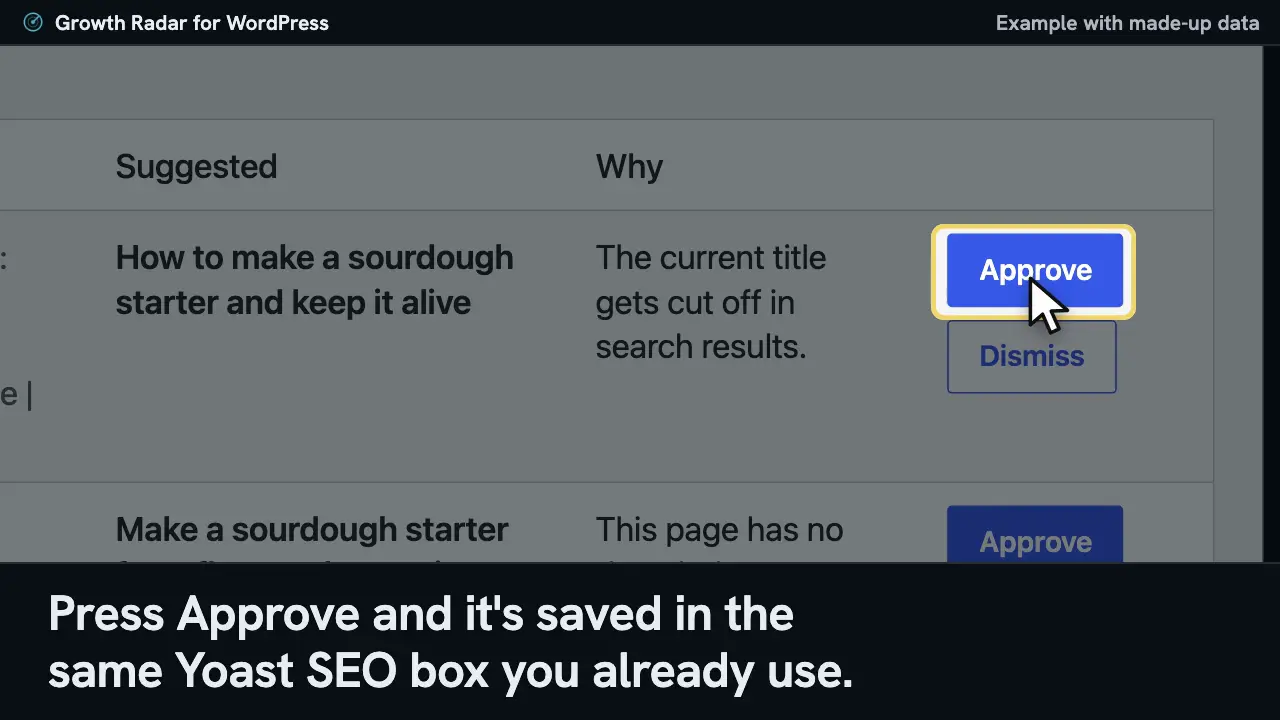
Suggested changes
Where: /sourdough-starter/
SEO title
Waiting for you
- Now
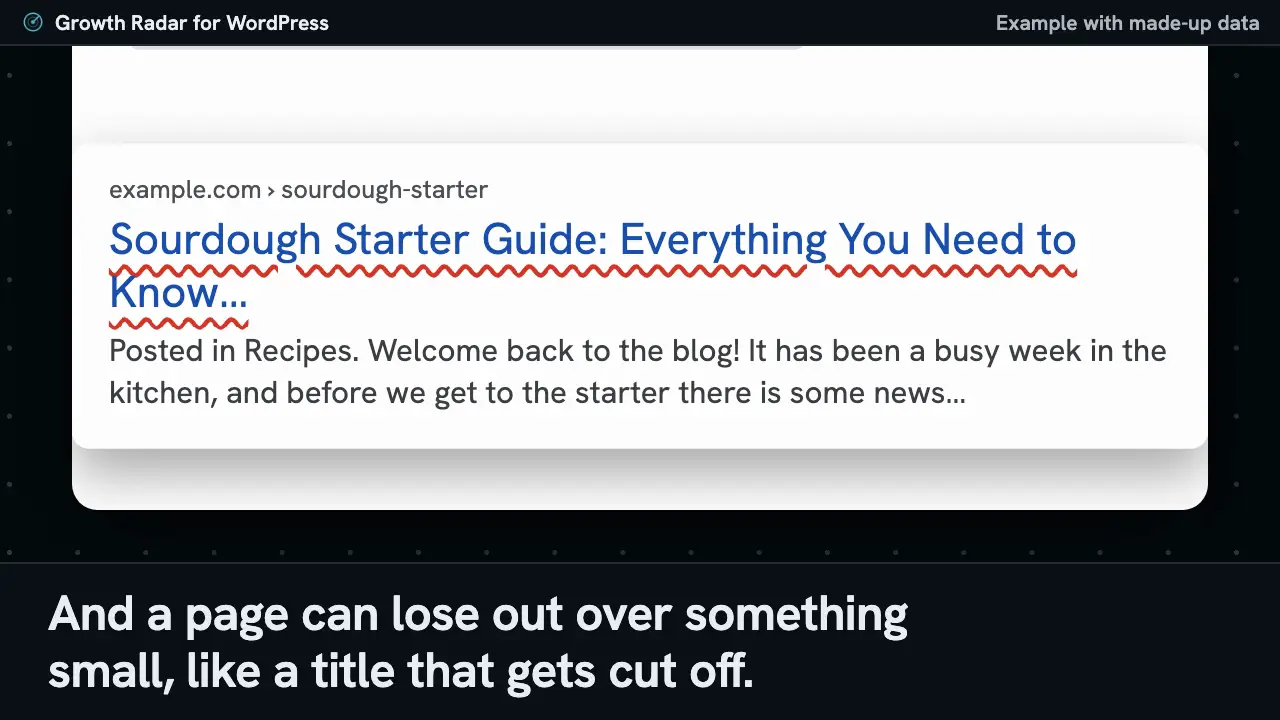
- Sourdough Starter Guide: Everything You Need to Know About Making and Feeding a Starter at Home | Example Bakery
- Suggested
- How to make a sourdough starter and keep it alive
- Why
- The current title gets cut off in search results.
Meta description
Waiting for you
- Now
- Empty
- Suggested
- Make a sourdough starter from flour and water in about a week, with a simple feeding routine and the signs that it is ready to bake with.
- Why
- This page has no description, so search engines pick a snippet themselves.
Yoast SEO box on this page
example.com › sourdough-starter
Press Approve on either row to start.
Approving a suggestion, from wp-admin to the search result
Read what the film shows
This page's title gets cut off in search, and it has no description. Growth Radar puts a better title next to what the page says now, and tells you why.
Press Approve and it's saved in the same Yoast SEO box you already use. Your SEO plugin puts it on the page, which is what search engines read. If you use Rank Math, it goes in that plugin's own box instead.
On screen: the waiting table in wp-admin with its Now, Suggested and Why columns, the words travelling into the SEO plugin's fields, and a search result preview. The preview shows how the text can look. A search engine updates its own results in its own time.
Why it's hard to get found, and what the plugin does
Read what the film shows
Getting customers to find your site is hard, even when the page is good. They search Google or ask an AI, then pick from whoever comes up. And a page can lose out over something small, like a title that gets cut off.
Growth Radar reads your pages and writes a better title, then waits for you to say yes. Whatever you approve goes into your SEO plugin, and you can take it back later.
On screen: a made-up bakery's recipe page, a search result with its title cut off, a suggested title next to the current one, and an Approve button that sends it to the SEO plugin's box.
What goes on your site is up to you
Changes wait for your approval
Each suggestion sits next to what the page says now, along with the reason it came up. You can approve or dismiss it on the Growth Radar screen in wp-admin, in a panel in the page editor, or from your account. There are two exceptions, and you opt in to both: automatic changes, a setting that's off until you turn it on, and llms.txt, which keeps itself up to date once you've approved it.
Approved text goes into your SEO plugin
With Yoast SEO or Rank Math active, an approved title or description is saved into that plugin's own field, and that plugin goes on printing the tags. You'll find the text in the usual box and can keep editing it there. It can also suggest a focus keyword for either plugin, taken from the search that shows the page most. If you have no SEO plugin at all, Growth Radar prints the tags itself.
Undo restores what was there before
Growth Radar remembers what a field held before it wrote there, so Undo brings that back, even if the field was empty.
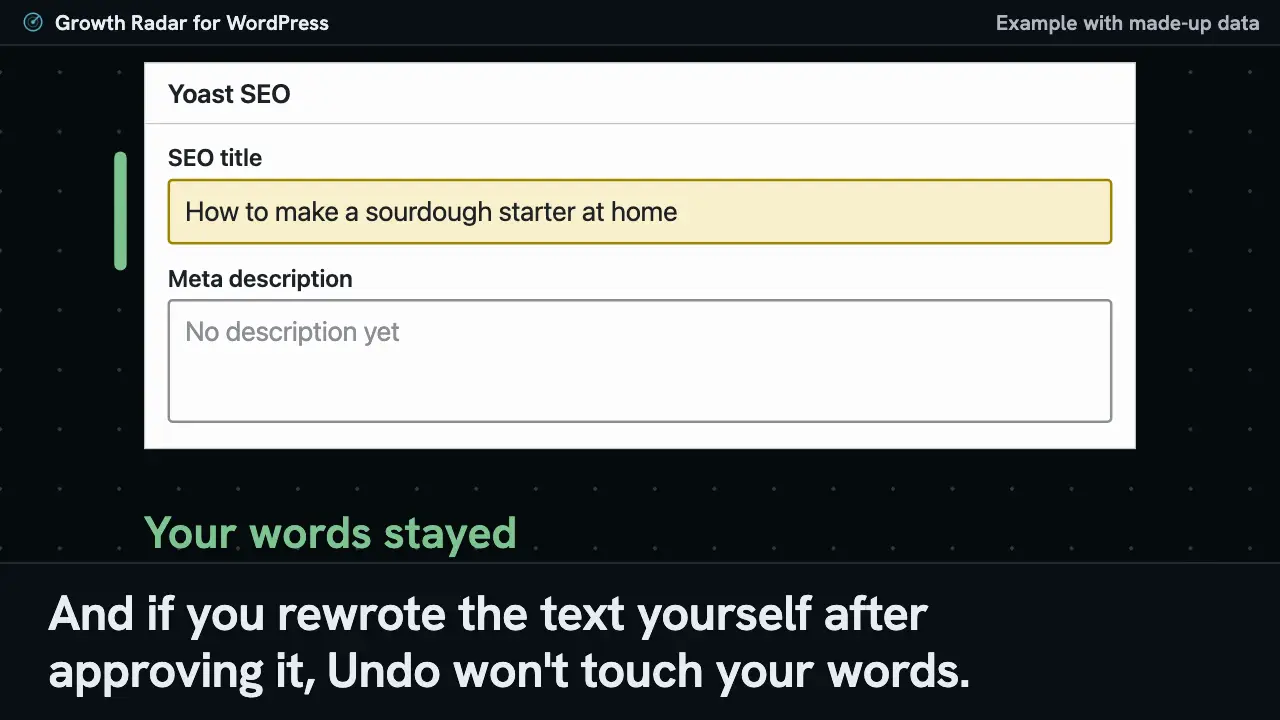
Undo won't touch text you changed yourself
If you change the text after approving it, Undo leaves your version alone, because it only ever takes back words Growth Radar wrote.
Undo, and your own edits
Read what the film shows
Changed your mind? Press Undo and the old text comes back. If the field used to be empty, it goes back to empty. And if you rewrote the text yourself after approving it, Undo won't touch your words.
On screen: the Applied table in wp-admin next to the Yoast SEO box. Undo puts the earlier title back and clears a description that was empty before. Then the title is approved again and retyped by hand, and pressing Undo leaves the retyped title in the box.
What it adds for AI answers
An AI assistant can only mention a site it's allowed to read, and WordPress on its own won't tell you whether one ever came by.
llms.txt, crawler rules and crawler visits
Read what the film shows
An AI can't quote a site it isn't allowed to read. The plugin makes an llms.txt from your pages, and skips any you've hidden from search.
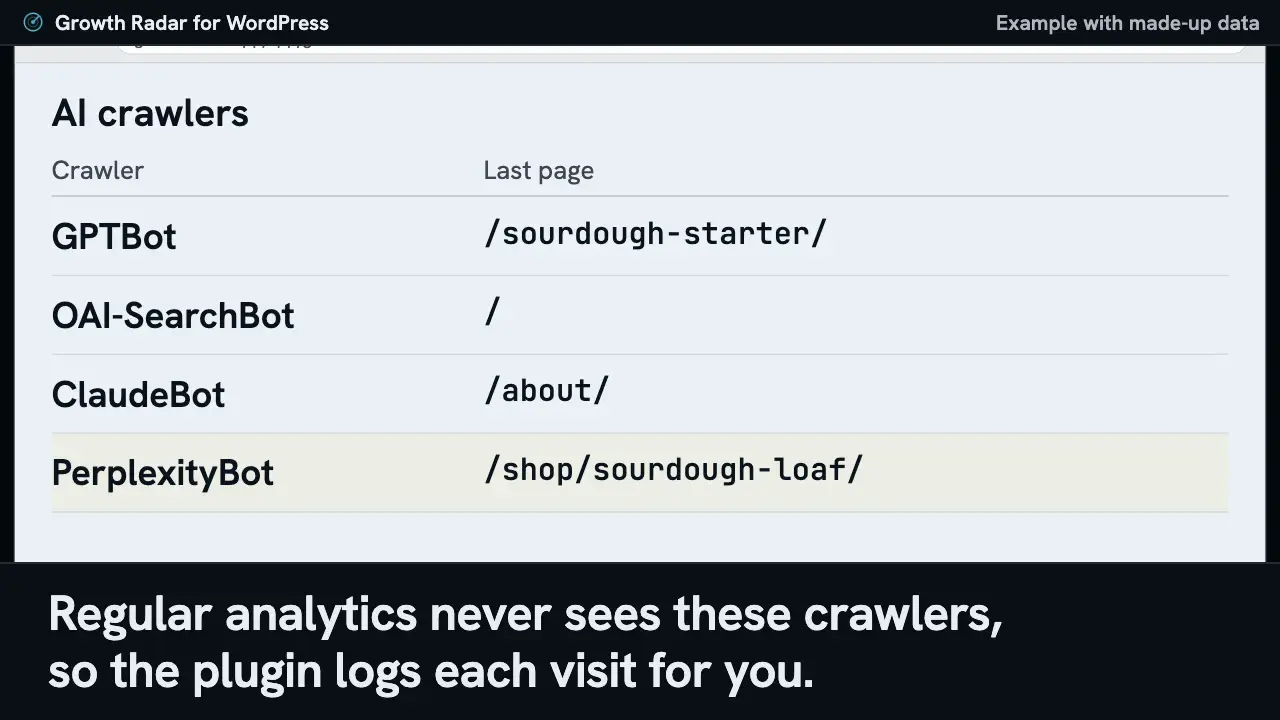
If your rules block an AI crawler, you'll get a suggestion naming it, and you can say no. Regular analytics never sees these crawlers, so the plugin logs each visit for you.
On screen: a made-up bakery's pages going into its llms.txt while a thank-you page hidden from search stays out, a suggestion to let GPTBot read the site, the Allow rule it adds to robots.txt, and a list of AI crawlers with the last page each one read.
An llms.txt built from your pages
The file comes from the same page list the plugin already reads, so it can include pages your home page doesn't link to, and it leaves out pages you've hidden from search.
# Example Bakery

> Bread and pastries baked every morning

## Pages

- [About the bakery](https://example.com/about/)
- [Opening hours and directions](https://example.com/opening-hours/)

## Products

- [Sourdough loaf](https://example.com/shop/sourdough-loaf/)

## Articles

- [How to make a sourdough starter](https://example.com/sourdough-starter/)
Crawler rules, if you want them
If your robots rules are blocking an AI crawler, you'll get a suggestion naming it. Skip the suggestion if you blocked that crawler on purpose.
User-agent: GPTBot
Allow: /

User-agent: ClaudeBot
Allow: /
Which AI crawlers visited
AI crawlers don't run JavaScript, so ordinary analytics never sees them. The plugin notices them while WordPress answers the request and logs the visit to your account.
| Crawler | Page |
|---|---|
| GPTBot | /sourdough-starter/ |
| OAI-SearchBot | / |
| ClaudeBot | /about/ |
| PerplexityBot | /shop/sourdough-loaf/ |
How you find out it worked
It checks the live page
Growth Radar reads your public page to confirm the change is really showing there.
Then it watches for a few weeks
It keeps an eye on your search and AI numbers for that page, using the Search Console you connect in your account.
Then the change gets a grade
The change is marked Won, Lost, Flat or Inconclusive. Small sites often land on Inconclusive because there isn't enough data yet, and Growth Radar says so rather than guessing.
If you undo a change, it drops out of the grading.
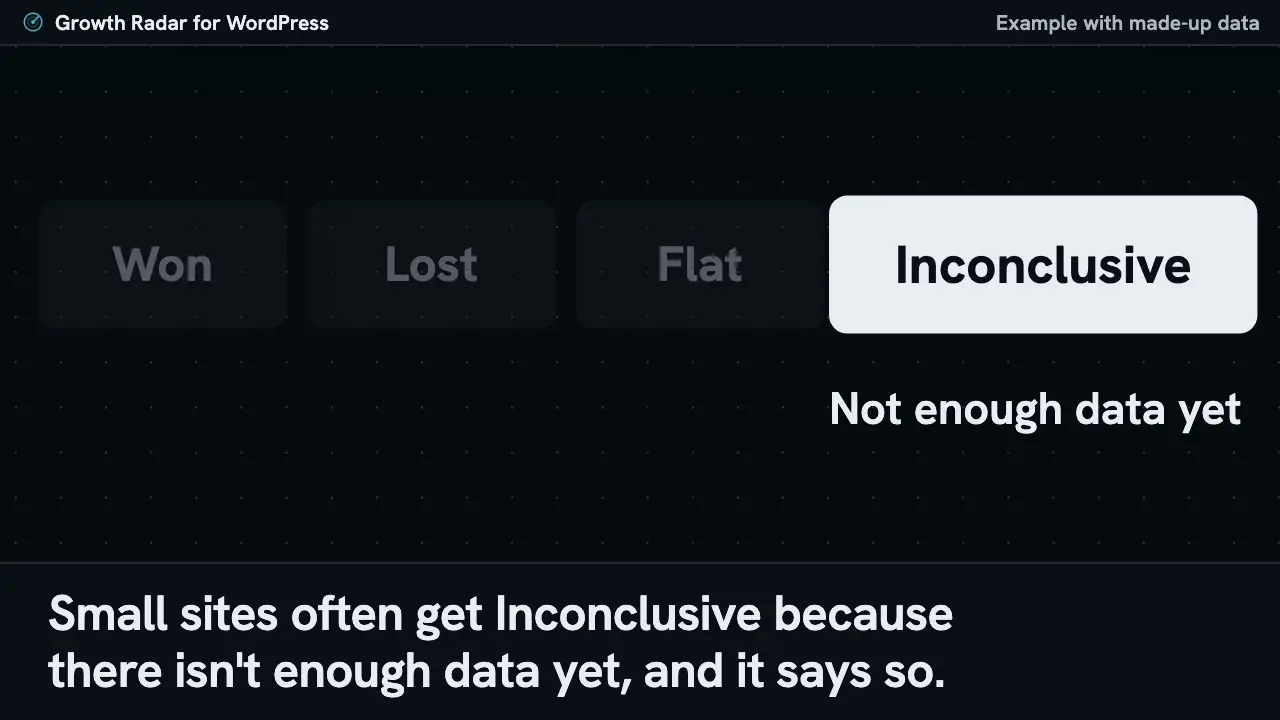
How a change gets its verdict
Read what the film shows
Once a change is live, you'll probably want to know if it did anything. Growth Radar first reads your public page to check the new text is really there. Then it watches that page's search and AI numbers for a few weeks.
Each change ends up marked Won, Lost, Flat or Inconclusive. Small sites often get Inconclusive because there isn't enough data yet, and it says so.
On screen: a change's label going from Applied, checking the live page to Live, two unnumbered lines running on past the day the change went live, and the four marks. The film's example ends on Inconclusive and shows no results.
Install it in three steps
- Download the plugin, then in wp-admin go to Plugins, Add New, Upload Plugin.
- Activate it and open Growth Radar in the wp-admin menu.
- Choose Connect, then sign in or create an account. You'll land back in wp-admin with the site connected.
It needs WordPress 5.8 or newer and PHP 7.4 or newer.
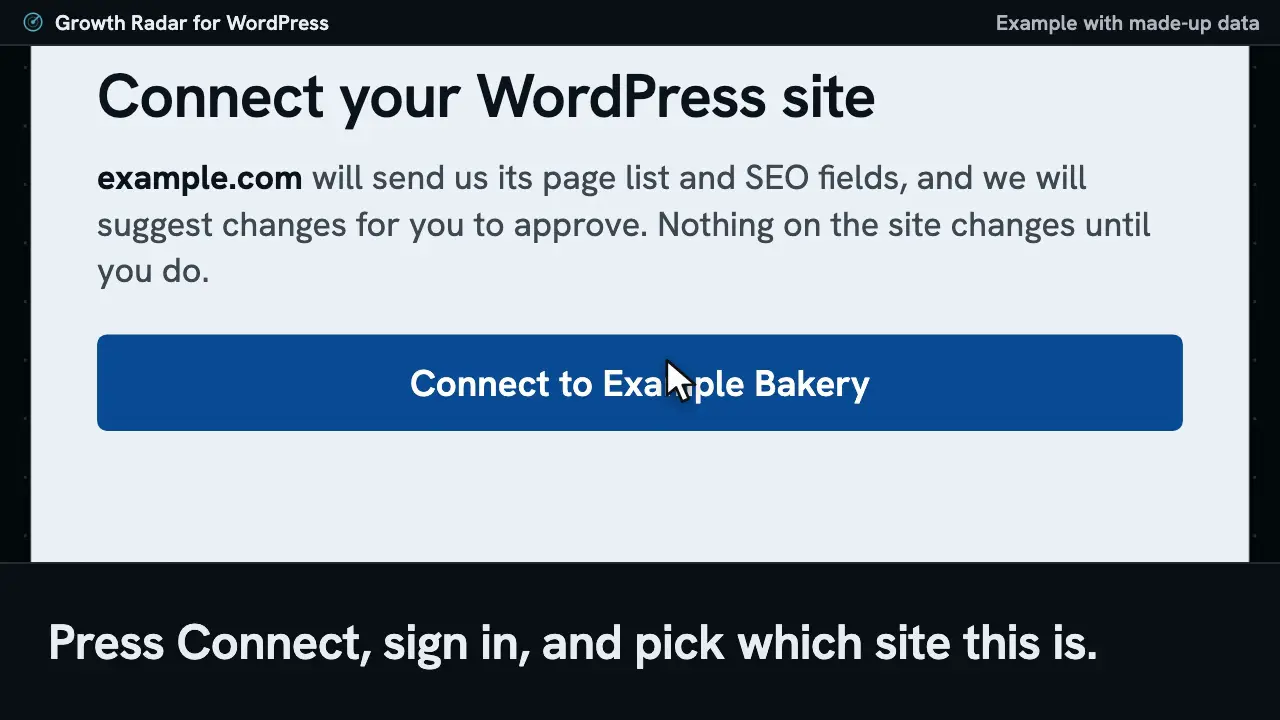
Install and connect
Read what the film shows
It installs like any other plugin you've uploaded. Upload the zip under Plugins and activate it. Growth Radar shows up in your menu.
Press Connect, sign in, and pick which site this is. Then you're back in wp-admin. Nothing on your site changes until you approve it.
On screen: the Upload Plugin page in wp-admin, the Activate Plugin button, the Connect this site card, the Connect your WordPress site screen, and the notice that the site is connected. Connecting also turns on visitor analytics and the AI crawler log, and you can switch both off on that same wp-admin screen.
What it can't do
- Cached visits don't show up
- If a page cache answers a request before WordPress runs, the plugin never hears about that crawler visit, so the crawler log can run low.
- Your page text stays as you wrote it
- It suggests titles, descriptions, focus keywords, an llms.txt, crawler rules and, without an SEO plugin, basic business details for search. It won't touch the text on your pages.
- A robots.txt file on the server wins
- WordPress only controls robots.txt when no real file sits on the server. If one does, Growth Radar stops suggesting crawler rules, so you'd have to edit that file yourself.
- A firewall or CDN block stays in place
- A block set up in a WAF or CDN happens before WordPress sees the request, so nothing in this plugin can lift it. You'd change that setting where the block lives.
- All in One SEO and SEOPress get less
- Approved titles and descriptions still reach the page, but they won't appear in those plugins' boxes, there are no focus keyword suggestions, and deleting Growth Radar removes those values.
- Multisite and alt text
- It hasn't been tested on a multisite network, and it doesn't write image alt text.
Common questions
Do I still need Yoast SEO or Rank Math?
No, and you're welcome to keep them. They're separate products from other companies. When one is active it stays in charge of the tags on your pages and Growth Radar only fills in its fields. If you have neither, Growth Radar prints the title, description and basic sharing tags itself.
What happens to my data if I remove it?
Deactivating the plugin stops everything it adds to your pages, including llms.txt and its crawler rules. Deleting it also clears its settings and whatever it stored for itself. Titles and descriptions saved into Yoast SEO or Rank Math stay there. On any other site, the ones Growth Radar kept for itself are deleted along with it. Removing the plugin doesn't delete what your Growth Radar account has already received, and the privacy policy covers how that's handled.
Will it slow my site?
We haven't published a speed measurement, so this is what it does instead. Visitors other than logged-in editors load one script from Growth Radar, set up so it doesn't hold back the page, and you can switch that off. When a known crawler asks for a page, the plugin sends a note at the end of that request without waiting for a reply. Syncing happens in the background, a batch of pages at a time.
What gets sent to Growth Radar?
Nothing until you connect. After that it sends page URLs, titles, SEO fields, an excerpt of each published page and basic site details such as your WordPress version, theme and SEO plugin. The visit-counting script reports visits, and the crawler log sends the path and user agent of each crawler visit, plus the crawler's IP address where the plugin can see it. You can switch off both on the settings screen. Password-protected pages stay out of the page list.
Is it on the WordPress plugin directory?
No, you install it by uploading the zip from this page, under Plugins, Add New, Upload Plugin. Once the site is connected, updates show up in wp-admin alongside your other plugins.
Does it work without an account?
No. The plugin is a client for the Growth Radar service and does nothing useful until you connect the site to an account. Every new account starts with a 14-day free trial and needs no credit card.
Related

Download the plugin and connect your site
Once it's connected, suggestions start waiting for you in wp-admin. If you'd rather look first, the free AI visibility checker reads any site with no signup.